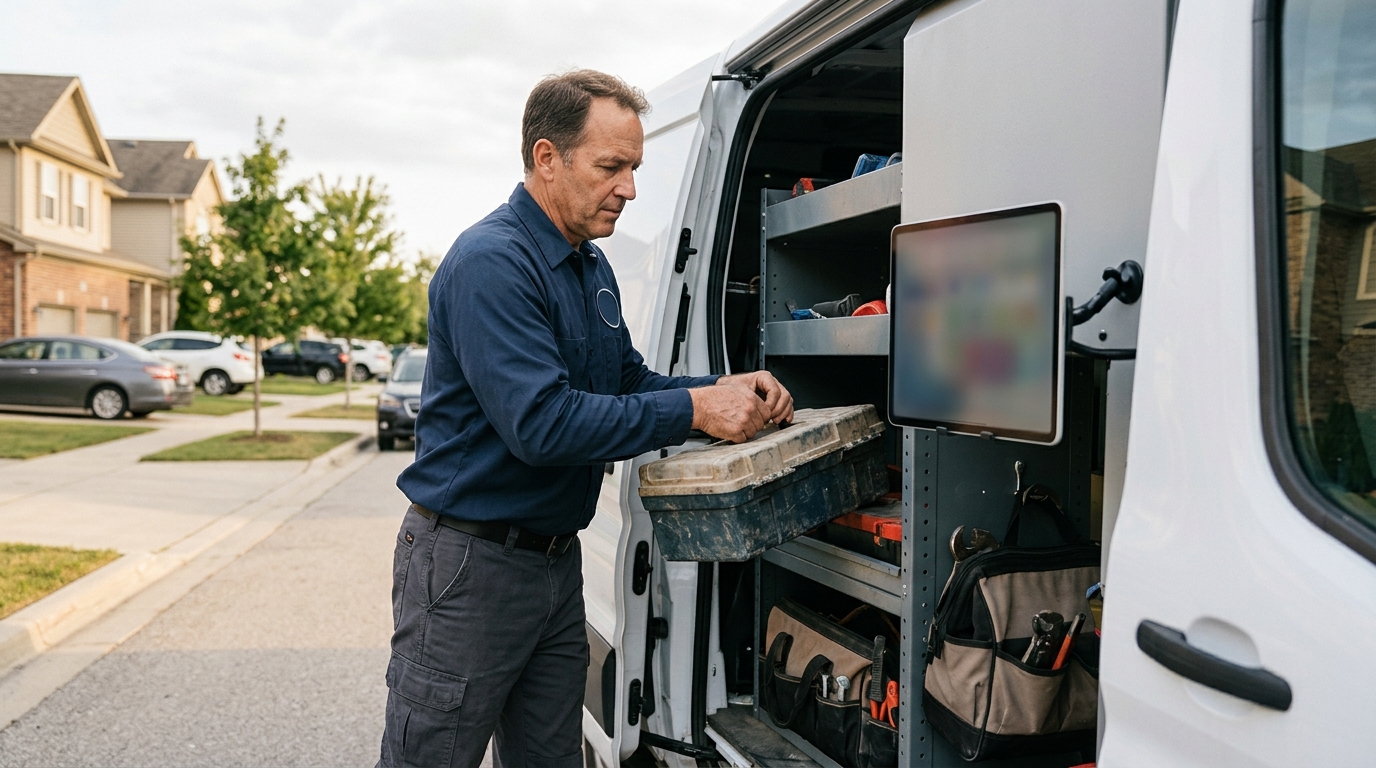
To get more Google reviews in 2026, you must systematically integrate the request into your customer service workflow using multiple touchpoints like SMS, email, and QR codes immediately after service completion. This approach removes friction and captures positive sentiment at its peak.
For any local or service-area business, from a multi-location dental practice to a B2B manufacturing firm, your Google Business Profile (GBP) is your digital storefront. The star rating and review count are often the first, and sometimes only, data points a potential customer uses to evaluate you against competitors. A steady stream of positive, recent reviews is no longer a "nice-to-have": it is a direct driver of lead generation, local map pack visibility, and revenue.
A 2025 BrightLocal survey confirmed that 81% of consumers use Google to evaluate local businesses, and nearly half will not consider a business with fewer than four stars. In the hyper-competitive landscape of 2026, failing to manage your online reputation is the equivalent of letting your competitor answer your phone. This guide provides actionable, non-pushy strategies to build a robust review profile that converts searchers into customers.
Why Google Reviews Are a Non-Negotiable Asset in 2026
Understanding the "why" behind review generation is critical to implementing the "how" effectively. Google reviews are not just a vanity metric. They are a powerful asset with a measurable impact on your bottom line, influencing three core pillars of local digital marketing.
- Local SEO Ranking Factor: Google’s local search algorithm explicitly uses review signals to determine ranking in the Local Map Pack. The algorithm analyzes review quantity (how many you have), review velocity (how frequently you get them), and review diversity (mentions of specific services or products). A business with 150 reviews and a 4.9-star rating, receiving 3–5 new reviews weekly, will consistently outrank a competitor with 50 reviews and a 4.7-star rating that hasn't received a new review in months.
- Social Proof and Conversion Rate: Reviews are the most powerful form of social proof available to a local business. They act as third-party endorsements that build trust before a prospect ever visits your website or calls your office. When a potential patient searches for "orthodontist near me" and sees one practice with 250 positive reviews and another with 25, the decision is practically made. This social proof directly increases click-through rates from the search results page and boosts lead conversion rates on your website.
- Direct Customer Feedback Loop: Beyond marketing, reviews offer an unfiltered channel for customer feedback. They highlight what your business does well and, more importantly, where operational improvements are needed. Responding to negative reviews provides an opportunity to resolve issues, retain a customer, and demonstrate to the public that you value customer service. This feedback is invaluable for training staff, refining service delivery, and improving the overall customer experience.
The Foundational Step: Creating a Direct Review Link
Before you ask a single customer for a review, you must make the process frictionless. The single most significant barrier to getting reviews is inconvenience. If a customer has to search for your business, navigate to your profile, and then find the "Write a review" button, you have already lost them. You need to create a direct, one-click link.
How to Create Your Google Review Link in 2026
- Log in to your Google Business Profile Manager.
- If you manage multiple locations, select the correct one.
- On the main dashboard, find the card titled "Get more reviews."
- Click the "Share review form" button. A pop-up will appear with a shortened URL (e.g.,
g.page/r/YourCustomName/review). - Copy this link. This is your golden ticket. Save it somewhere easily accessible for your entire team.
This link takes a user directly to the five-star rating pop-up for your business, pre-logged into their Google account. It eliminates 90% of the effort required, dramatically increasing the likelihood of a customer following through.
Automated vs. Manual Review Requests: A Comparison
The method you use to ask for reviews will determine the consistency and volume of your results. While manual requests have their place, automation is the key to creating a scalable, predictable review generation engine. Both approaches require tact and timing.
| Feature | Manual Review Requests | Automated Review Requests |
|---|---|---|
| Method | Team member personally emails or texts the customer a few hours or a day after service. | System (e.g., CRM, marketing automation software) automatically triggers a text or email after a job is marked "complete." |
| Best For | High-touch, high-value B2B services, legal firms, or complex medical procedures where a personal relationship is key. | High-volume service businesses: dental, home services, multi-location franchises, restaurants. |
| Pros | Highly personal, can leverage an existing relationship, feels less transactional. | Scalable, consistent timing, removes human error/forgetfulness, provides tracking and analytics. |
| Cons | Not scalable, reliant on employee memory, inconsistent timing, difficult to track performance. | Can feel impersonal if not configured correctly, requires initial software setup and integration. |
| Implementation | Create email/SMS templates, train staff on when and how to send them. | Integrate reputation management software (e.g., Podium, Birdeye) with your CRM or use built-in features in platforms like ServiceTitan or Dentrix. |
For most businesses, a hybrid approach works best. Automate the initial request to ensure no customer is missed, then empower your team to make personal, manual follow-ups for high-value clients or to reinforce the automated message.
7 Proven Strategies to Ask for Reviews (Without Being Pushy)
The art of the review request is to make it a natural, expected part of your service wrap-up, not an awkward, tacked-on plea. The key is timing and framing. You are not asking for a favor; you are inviting them to share their valuable feedback.
1. The Post-Service SMS Automation
When: Within 1-3 hours of service completion or transaction.
How: This is the most effective method in 2026. Mobile open rates for SMS are over 98%. The message should be short, personal, and direct.
Template: "Hi [Customer Name], this is [Your Name] from [Company Name]. Thanks for choosing us today. We'd love your feedback on your experience. You can leave a review here: [Your g.page Review Link]. Thank you!"
2. The Follow-Up Email Request
When: 24–48 hours after service.
How: Email allows for more context. Use a clear subject line like "How was your experience with [Company Name]?" or "Your feedback is important." Keep the body concise. Thank them for their business, state that feedback helps you improve, and provide a clear call-to-action button linked to your review URL. This is also a great place to solicit direct, private feedback to preemptively catch negative experiences.
3. In-Person Verbal Prompt with a QR Code
When: At the point of sale or service completion.
How: This leverages the peak of customer satisfaction. Train your staff to say something like, "We're so glad we could help you today. We rely on feedback from great customers like you to grow. If you have a moment, could you scan this QR code to share your experience on Google?" Have a small, professionally printed card or sign with the QR code (linked to your review URL) ready to hand to them or display at the checkout counter.
4. Website "Leave a Review" Call-to-Action
When: Always on.
How: Your website is a central hub for customer interaction. Add a "Leave a Review" or "Reviews" link in your website's footer and on your contact or testimonial pages. This link should go directly to your Google review page. While not a primary driver of new reviews, it's a simple, passive method that will capture a few over time.
5. Review Request on Invoices and Receipts
When: At the point of payment.
How: Add a short, polite request and your review link (or QR code) to the bottom of your digital or printed invoices and receipts. For example: "We appreciate your business! Share your experience with us on Google: [Your g.page Review Link]." This is another low-friction, automated touchpoint.
6. The "Review Gating" Alternative (Use With Caution)
When: As part of an automated feedback sequence.
How: Instead of sending customers directly to Google, send them to a landing page on your website. The page asks, "How was your experience?" using a simple thumbs-up/thumbs-down or star rating system.
- Positive Response: If they click thumbs-up or 4-5 stars, they are immediately directed to your Google review link with a message like, "Great! We'd love for you to share that on Google."
- Negative Response: If they click thumbs-down or 1-3 stars, they are directed to a private feedback form that goes directly to a manager. This allows you to address their issue privately before they post a public negative review.
Important Note: While effective, this practice exists in a gray area of Google's terms of service. Google's official policy prohibits "discouraging or prohibiting negative reviews." A softer approach that still offers both options (public review vs. private feedback) is generally considered safer.
7. Personal, High-Touch Outreach
When: For long-term or high-value clients.
How: For a law firm that just won a major case or a B2B manufacturer that completed a multi-million dollar installation, a generic SMS is inappropriate. A personal email or even a phone call from the lead attorney, account manager, or CEO is far more effective. Frame it as a request for a testimonial for your website that you would also appreciate them posting as a Google review.
How to Respond to Every Review (Positive and Negative)
Responding to reviews is as important as generating them. It shows that you are an engaged business owner who values customer feedback. It also signals to Google's algorithm that your GBP listing is active and well-managed.
Responding to Positive Reviews (4-5 Stars)
- Be Prompt: Respond within 24–48 hours.
- Personalize It: Use the reviewer's name.
- Reinforce the Positive: Mention the specific positive point they brought up (e.g., "We're so glad you found our team to be professional and efficient.").
- Add Keywords (Naturally): If they mention a service, repeat it. "Thanks for the great review of our emergency plumbing repair in [City]."
- Thank Them: Always end with a thank you and an invitation to return.
The A.C.C.C. Method for Responding to Negative Reviews (1-3 Stars)
A negative review is an opportunity. Your public response is not just for the unhappy customer; it is for every future prospect who reads it. A professional response can neutralize the damage and even win over new customers.
- Acknowledge and Apologize: Start by acknowledging their frustration and apologizing that their experience did not meet expectations. Do not get defensive. "We are very sorry to hear that your experience with our front desk staff was not up to our usual standards."
- Show Compassion and Context: Briefly express empathy. Do not make excuses, but if there is neutral context, provide it. "We understand how frustrating unexpected delays can be."
- Take Control and Correct: State that this is not the standard you aim for and offer to make it right. Move the conversation offline immediately. "Please contact [Manager's Name] at [Phone Number] or [Email Address] so we can investigate this fully and work to resolve it with you."
- Keep it Concise: Do not get into a lengthy back-and-forth. The goal is to show other readers you are responsive and proactive, not to win an argument.
Once you resolve the issue offline, the customer may choose to update or remove their negative review. You can politely suggest it, but never demand it. The primary goal is resolving the issue and demonstrating public accountability.
Leveraging Your Reviews as Marketing Assets
Once you have a steady stream of reviews, don't let them just sit on your Google profile. Repurpose them across your entire marketing funnel:
- Website Testimonials: Use a tool like Repuso or EmbedSocial to automatically pull your 5-star Google reviews and display them in a dynamic widget on your homepage, service pages, and contact page.
- Social Media Content: Turn a great review into a graphic. Post it on your Facebook, Instagram, and LinkedIn pages. Tag the customer if appropriate and thank them publicly.
- Sales and Proposal Materials: Include a few powerful, relevant testimonials in your sales presentations, proposals, and new client onboarding packets.
- Paid Media Campaigns: Use compelling review snippets as ad copy for Google Ads or Facebook Ads to build instant credibility and social proof.
By building a systematic process for generating, managing, and leveraging reviews, you create a flywheel of growth. More reviews lead to higher rankings, which drives more traffic, which results in more customers, giving you more opportunities to earn great reviews. In 2026, the businesses that master this loop will dominate local search.
Google Reviews FAQ
How many reviews do I need to get on Google?
There is no magic number, as it's relative to your competition. A good goal is to have more reviews and a higher average star rating than the top 3 competitors in your local map pack. Aim for a consistent velocity of 2–5 new reviews per week for a healthy, active profile.
Can I offer incentives for Google reviews?
No. Offering incentives like discounts, coupons, or free gifts in exchange for reviews is a direct violation of Google's terms of service. This can lead to your reviews being removed and your profile being penalized. You can, however, run a raffle or drawing for customers who provide feedback in general, as long as entry is not contingent on leaving a positive review.
What should I do if I get a fake negative review?
If you believe a review is fake (e.g., from a former employee, a competitor, or someone who was never a customer), you should first flag it for removal through your Google Business Profile dashboard. Click the three dots next to the review and select "Report review." While waiting for Google's decision, which can take days or weeks, you should still post a professional public response like, "We have no record of a customer with your name or details. We take all feedback seriously, so please contact our office directly so we can verify your experience."
How can I remove a bad review on Google?
You cannot directly remove a negative review simply because you don't like it. You can only request removal if the review violates Google's content policies (e.g., it contains hate speech, spam, a conflict of interest, or is clearly fake). The most effective strategy is to "drown it out" by generating a large volume of new, positive reviews that push the negative one down and improve your overall star rating.
